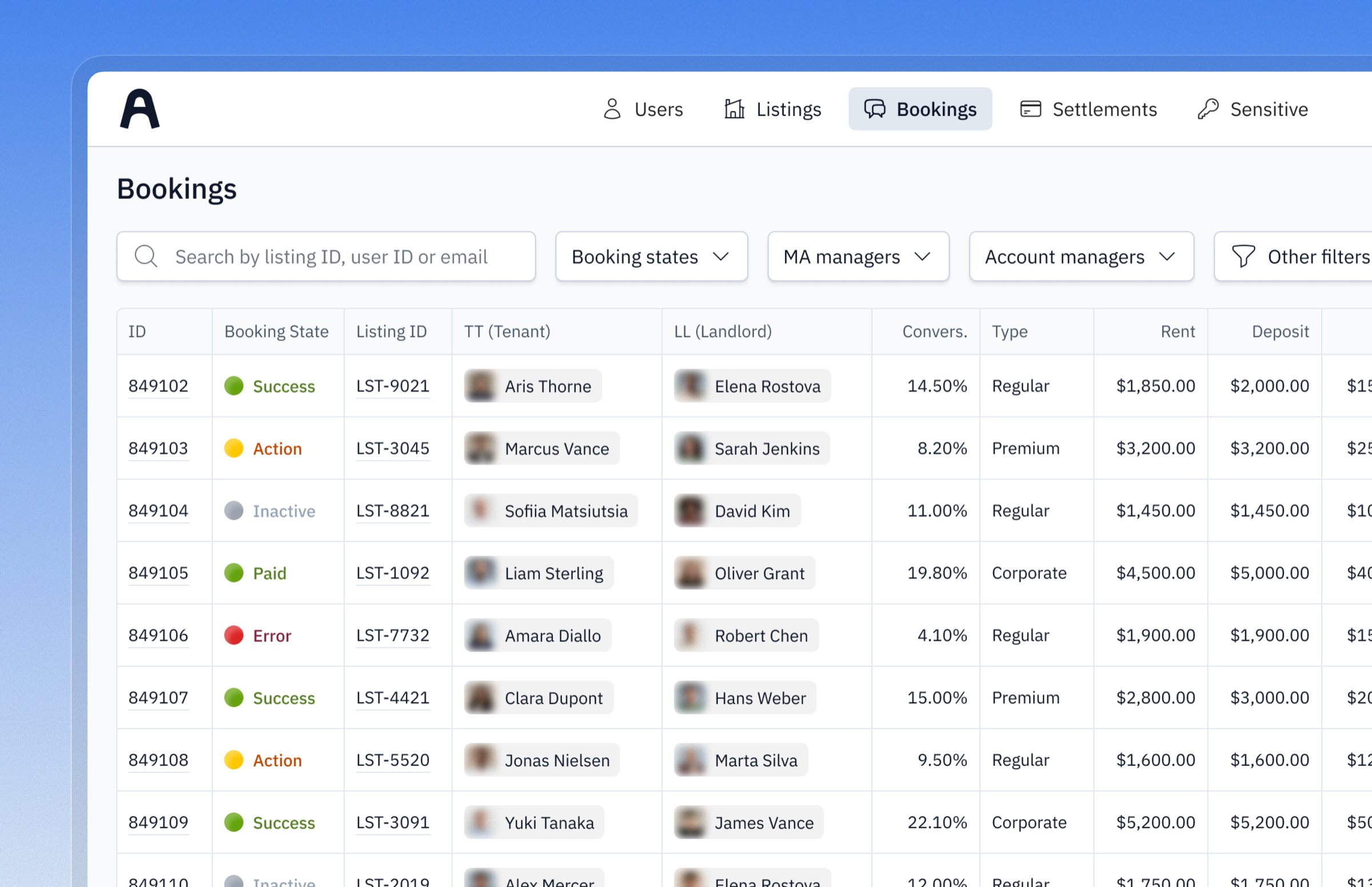
Bookings list in the Housing Anywhere internal panel

Improving Internal Panel for Housing Anywhere

timeline
2022–2025
Company
Housing Anywhere
Role
Product strategy & interface design
site
housinganywhere.com

A global rental platform that connects tenants with landlords for mid- to long-term stays. Behind the scenes, Customer Support, Finance, Trust & Safety, Sales, and Marketing all use an Internal Panel to manage bookings, users, and payments. But it had grown into a mess. Teams were switching between tools and doing things manually that should have been automated.

My role

  • 0→1 Redesign / Product Strategy
  • User Research & Workflow Analysis
  • Interface Design / Interaction Design
  • Design System & UI Patterns
  • Translate internal pain points into features for the main product

Improvements

  • 41% operational efficiency gain
  • 75% reduction in manual work
  • 30+ hours saved per week across teams
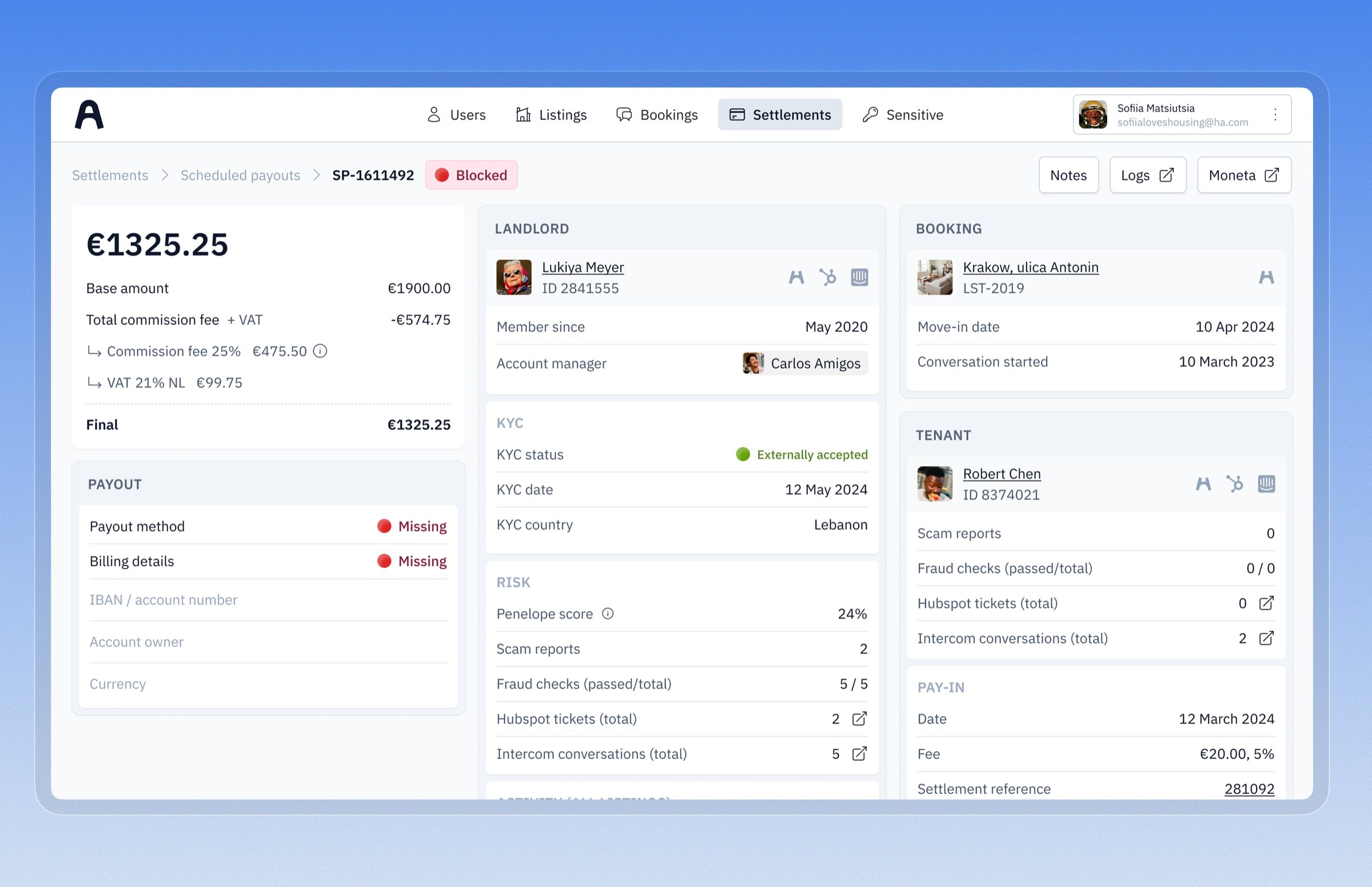
Settlement detail with landlord, booking, and tenant data in one view

Problems

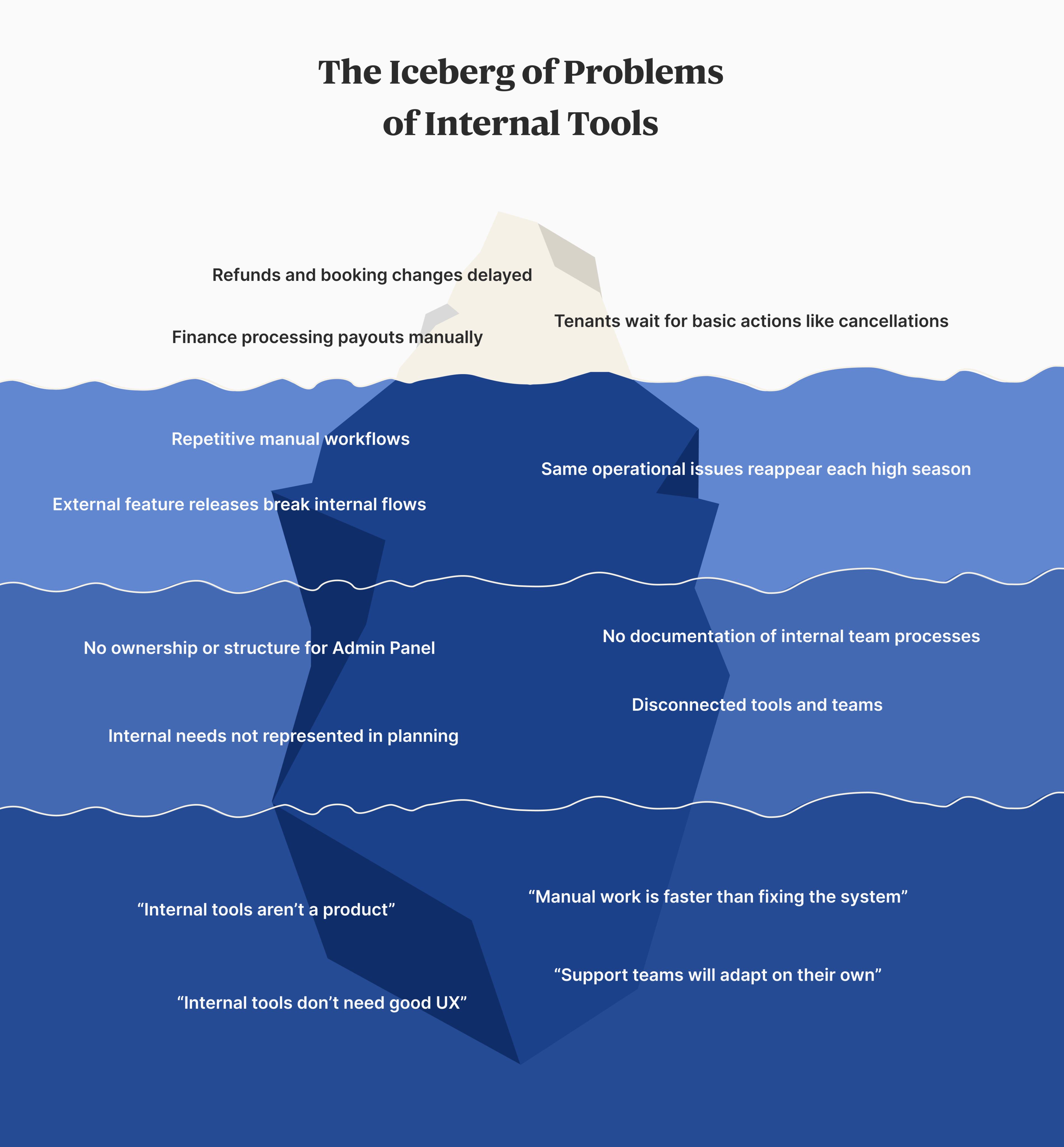
Teams were manually handling everything. Refunds. Booking changes. Payouts. They’d copy-paste sensitive data between systems, coordinate manually, hope nothing broke. Error-prone. Time-consuming.

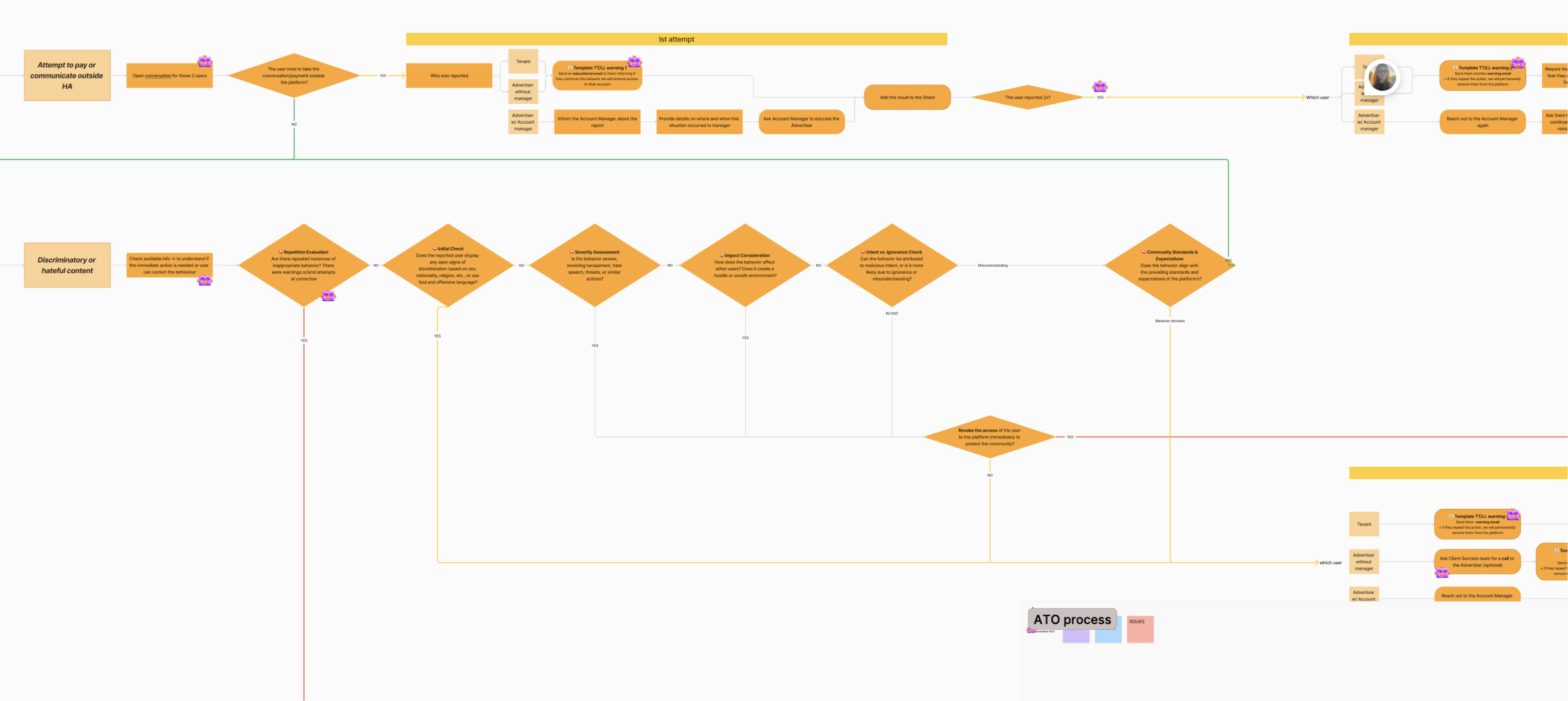
Navigation made no sense. The Admin Panel had grown organically for years. No consistent design. Filters were hard to use. Pagination was broken in some places. No patterns for building new features.

Legacy admin navigation and unstructured internal screens

Solution examples

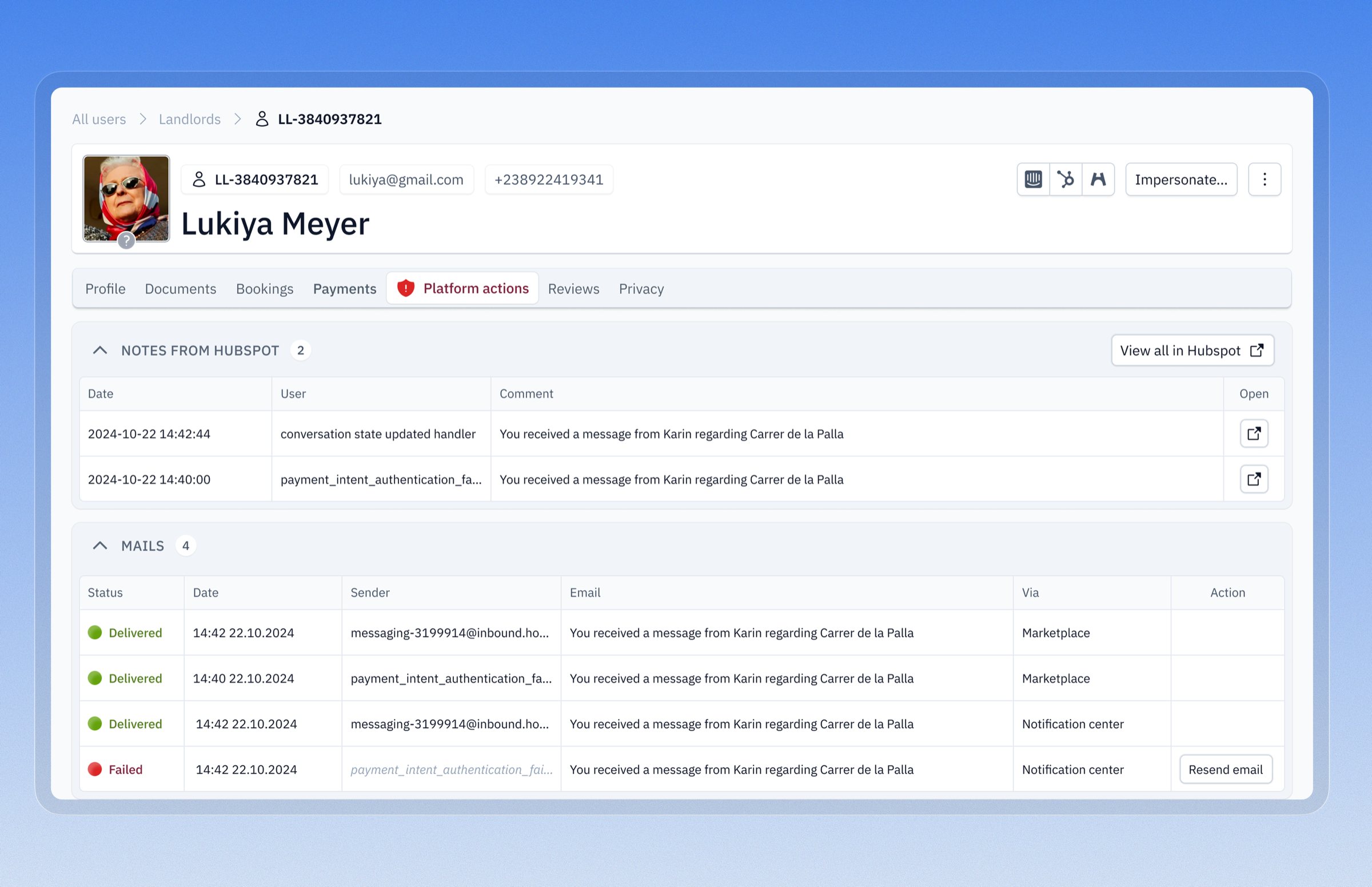
Reorganized user page

Previously, the page was an unstructured mess. Data was hard to find or missing. We ran a moderated card sorting exercise with internal teams. This helped us understand priorities from the perspective of Sales, Support, Finance, Customer Support, etc.

The new layout introduces role-based tabs and clear UI patterns (tables, metrics, cards…). It lets Product Owner and Developers add new data without Designer’s intervention.
Automated cancellations and refunds

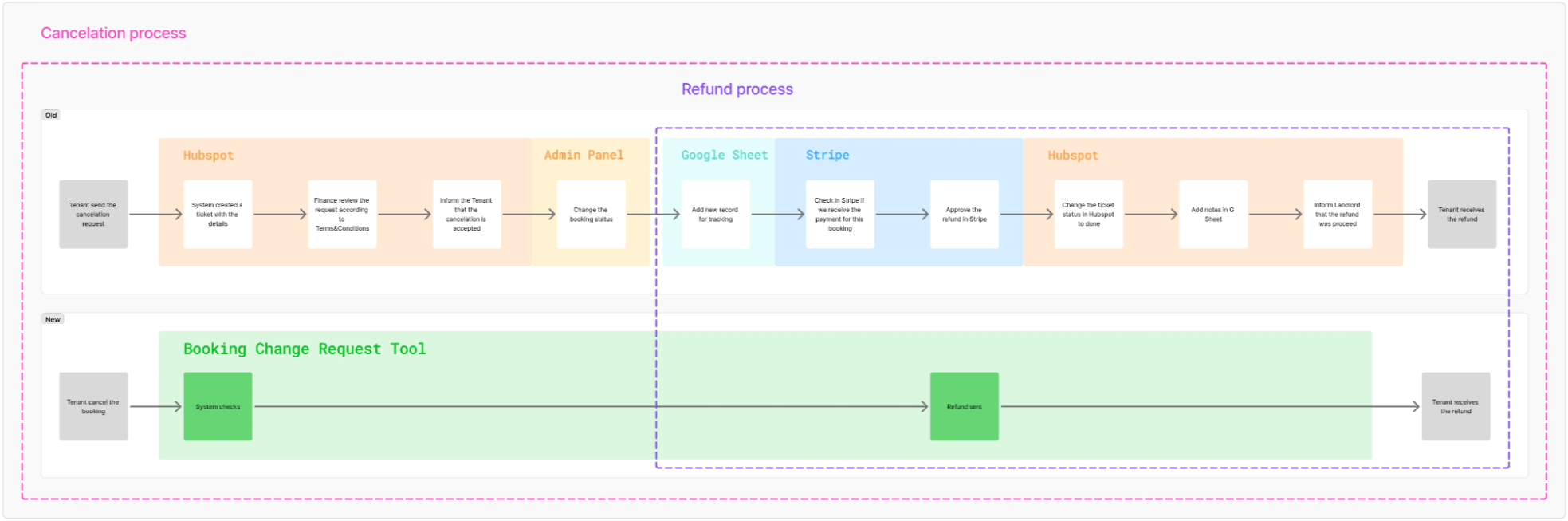
Before the BCR Tool was introduced, a fully manual process of canceling or modifying a booking was prone to human error, scattered across 5 tools (Front Office application, HubSpot, Intercom, Moneta, Google Sheets), difficult to track, and not scalable.

We turned complex workflows into one tool to track, view, and edit booking change or cancellation requests.

Manual booking-change process scattered across five tools

The process

1. Shadowed teams doing the work

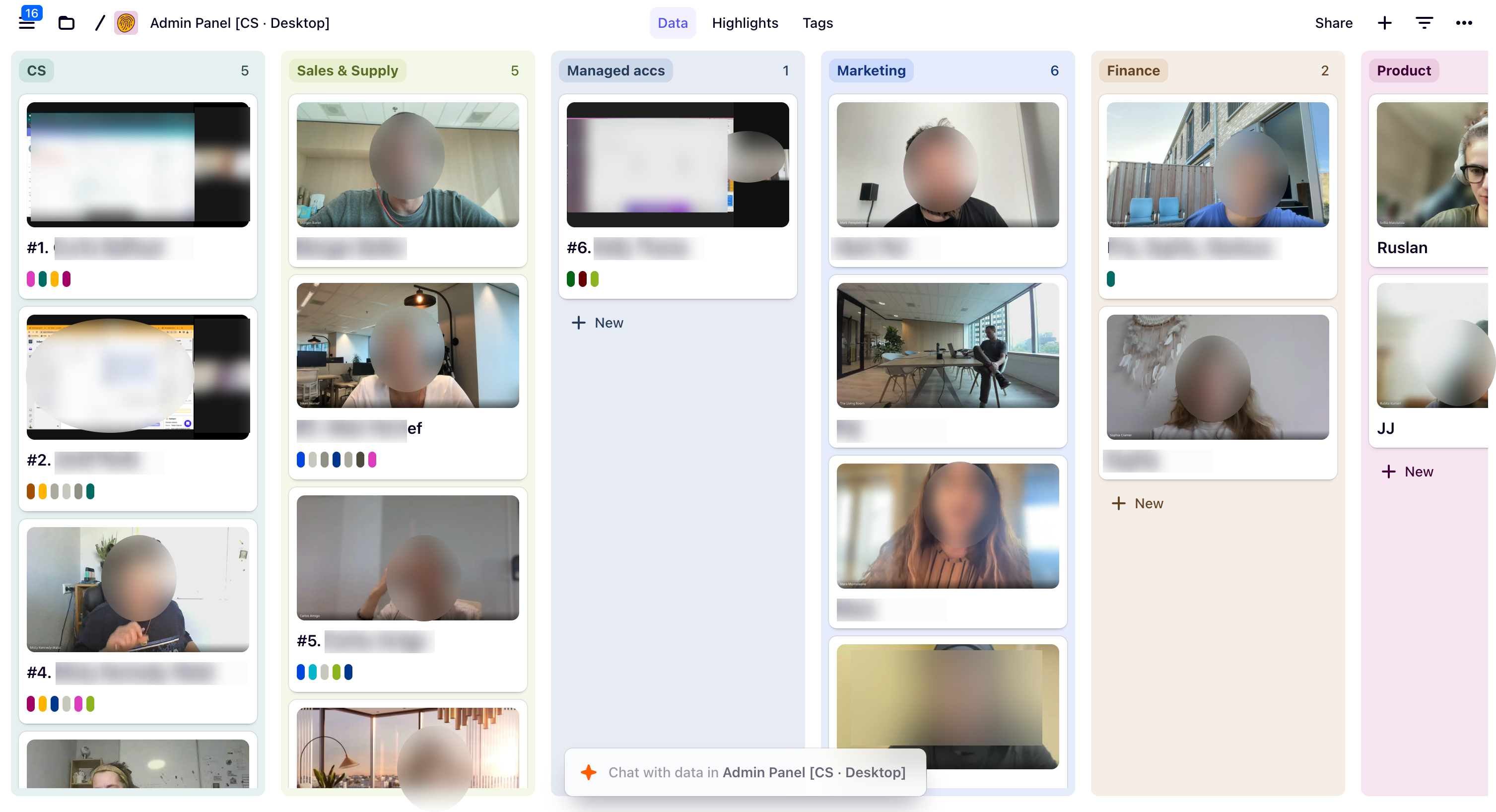
I spent time with Finance, Customer Support, Sales, Marketing watching them handle refunds, booking changes, payouts. Saw where they got stuck, and what made them slower.

Research notes from shadowing internal Housing Anywhere teams

2. Centralized data views

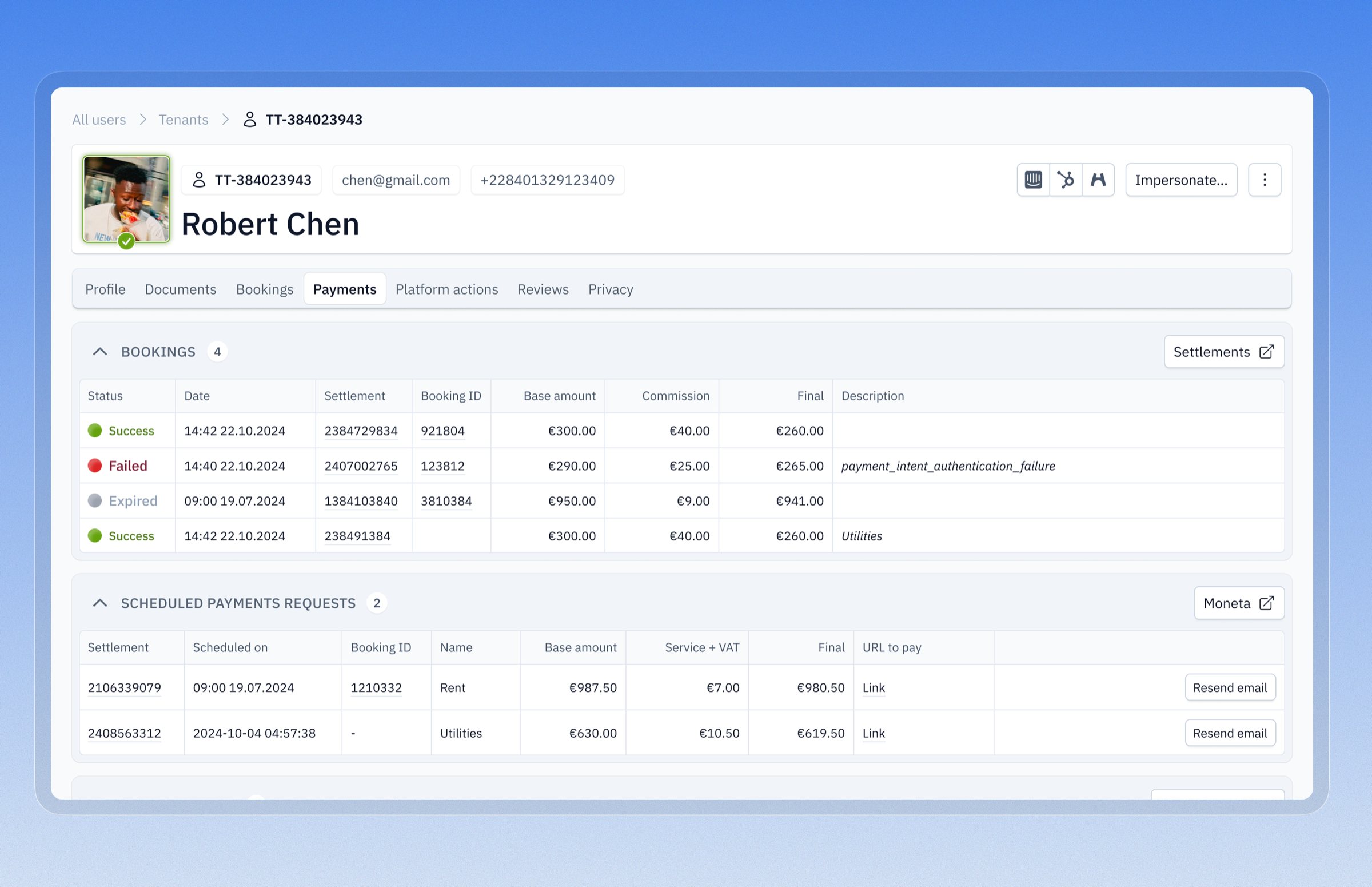
Instead of jumping between 6 tools, I brought relevant data into the Admin Panel. For example, user profiles now show everything in one place: tenant details, landlord info, payment history, actions, next steps.

Centralized user profile bringing tenant, landlord, and payment data together

3. Designed new flows

Refunds used to be manual and risky. I designed tools like Booking Change Request, that automate decisions based on booking data.

4. Built consistency

Created a UI foundation based on Tailwind with reusable patterns. Updated page layouts. Fixed filtering, sorting, pagination. Documented everything so teams could ship new features without starting from scratch.